


Authenticator without Microsoft & Google

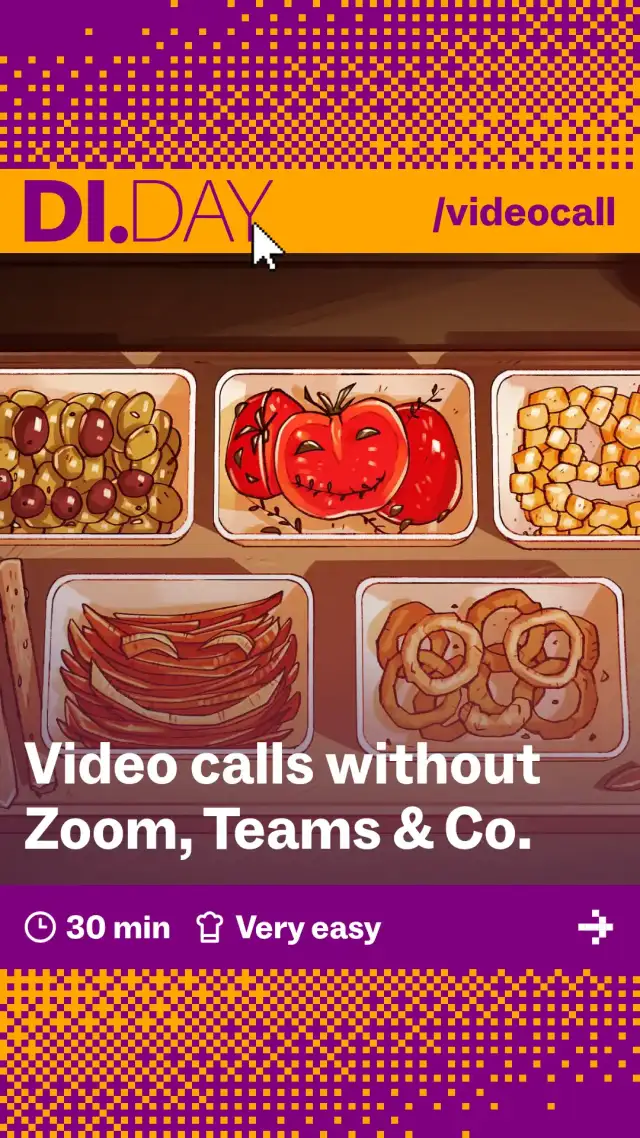
Video conferences have been on the daily menu of our working life, at least since the coronavirus pandemic. Perhaps you’ve gotten used to U.S. providers such as Zoom, Teams, Google Meet, Webex and the like. But certain hidden ingredients – such as the U.S. Cloud Act (a law that allows the U.S. government to access data under certain conditions), data breaches or dependency on Big Tech monopolies – could literally get stuck in your throat. So if you’re looking for a fresh, self-determined video call meal, this recipe provides you with open-source ingredients from Europe that are GDPR-compliant and secure.
Our digital switch recipes provide an easy, simple way to give Big Tech the push, but there are other options available. We have tried to make it easy by focusing on a single approach and a small number of options, but there are other alternatives that are just as good. After all, what we mean by ‘good’, ‘not so good’ and ‘bad’ is open to debate: DI.DAY is about easy ways to give Big Tech the push (without getting into purism or being preachy). Our decisions are based on advice from our advisory panel.
An overview of the alternatives is available on the next page:
… … even though using a smartphone is often less convenient than using a desktop computer
… based on your needs and wishes
… because not all providers are free
There are many stands at the market: take your time to test out one or two video conferencing providers. We particularly recommend open-source solutions from European service providers.
For private users: Why not start with Jitsi Meet, for example – it’s free, requires no registration and is instantly ready to use. For businesses or public institutions: Nextcloud Talk and alfaview offer plenty of options for customisation. OpenTalk and Pexip have a proven track record in handling sensitive data.
Open source, optional end-to-end encryption (browser-dependent, must be enabled, not available for chat) and usable anywhere – whether for free in a browser, via an app, with hosting providers or self-hosted (see dessert). Easy to use. Free one-click meetings are also available via fairkom, kMeet (with end-to-end encryption and unlimited meetings) and Hostpoint Meet from Switzerland (also GDPR-compliant). You can find instructions on the Kuketz blog, among other places.
This open-source software from Canada is offered in Europe for free by, amongst others, Senfcall (Education & Webinars) (users who use it more extensively are asked to pay): Webinar-Wok is used primarily in the education sector, featuring whiteboards, polls and breakout rooms. Ideal for schools, universities or trainings.
Well-suited (and certified) for public institutions and businesses that want full control of their data. High security standards. The German state of Schleswig-Holstein, among others, already relies on OpenTalk. Free use is limited to 30 minutes with 5 participants. Mailbox.org offers customers a slightly stripped-down version of OpenTalk for free.
Chat, audio, video and even bridge connections to Teams (if necessary) for a smooth transition. Ideal for anyone who already uses Nextcloud for files (see Nextcloud switch recipe). Apps available for Android and iOS.
The Swiss chocolate plate (open source): end-to-end encryption by default, servers located in Switzerland. Unfortunately, the free version is limited to 60-minute calls with a maximum of 50 participants.
You can also host simple video conferences using your favourite messaging app, such as Signal (here’s our recipe for switching messaging apps).
… for those with unusual tastes, the following providers are available:
A gourmet platter from Norway: end-to-end encryption and bridge connections to Teams or Zoom (if, as mentioned, it’s absolutely necessary) for a smooth transition.
The livestreaming dip: A paid open-source solution for online events with live streaming, offering interactive features such as Q&A, polls and chat. Perfect for conferences, workshops or community events that are designed to be more than just a meeting – they’re meant to be an experience.
An open-source video conferencing software from Germany, currently used mainly by schools, tax consultants, the Federal Police and public institutions. Unfortunately, it cannot (yet) be used for a quick video call with Grandma.
From Germany: live translations, breakout rooms (in which smaller groups can meet) and whiteboards (for collaborative sketches, plans and designs). However, it’s neither free nor open source.
Once you #DIDit – share our post about the digital switch and inspire others to take control of their own digital lives!
You can also run your own video call cloud, such as a Jitsi or Nextcloud server. You can do this with a single click using providers such as Ossrox, JITSI, Hostsharing or other providers.
It's more challenging to host the video conferencing server yourself. You can find instructions on how to do this at IONOS, among other places, or in this blog.
Authenticator without Microsoft & Google

App Stores without Google & Apple

Collaborating without Google & Co.

Photos without Google, Apple & Co.

Reading E-Books without Amazon

Video Streaming without YouTube, Prime & Netflix

Shopping without Amazon

Android phone without Google

Have a Hold on Your Passwords

Alternatives to ChatGPT & Co.

From Spotify to Fair Music Streaming

Set Your Calendars and Contacts Free

Independent Data Clouds

Nextcloud – Your Very Own Cloud

From Windows to Linux Mint

From Big Tech Maps to Open Street Map

Microsoft to LibreOffice & Co.

PayPal to Wero

Chrome to Firefox

Gmail to Independent Email

From Amazon to the Local Bookstore

From Google to Other Search Engines

WhatsApp to Signal

X to Mastodon